Clients
Navigation: Sidebar → Clients
The Clients page in BillingOne shows all your clients with a billing-focused view. See each client's MRR contribution, subscription count, device count, and licensing status.
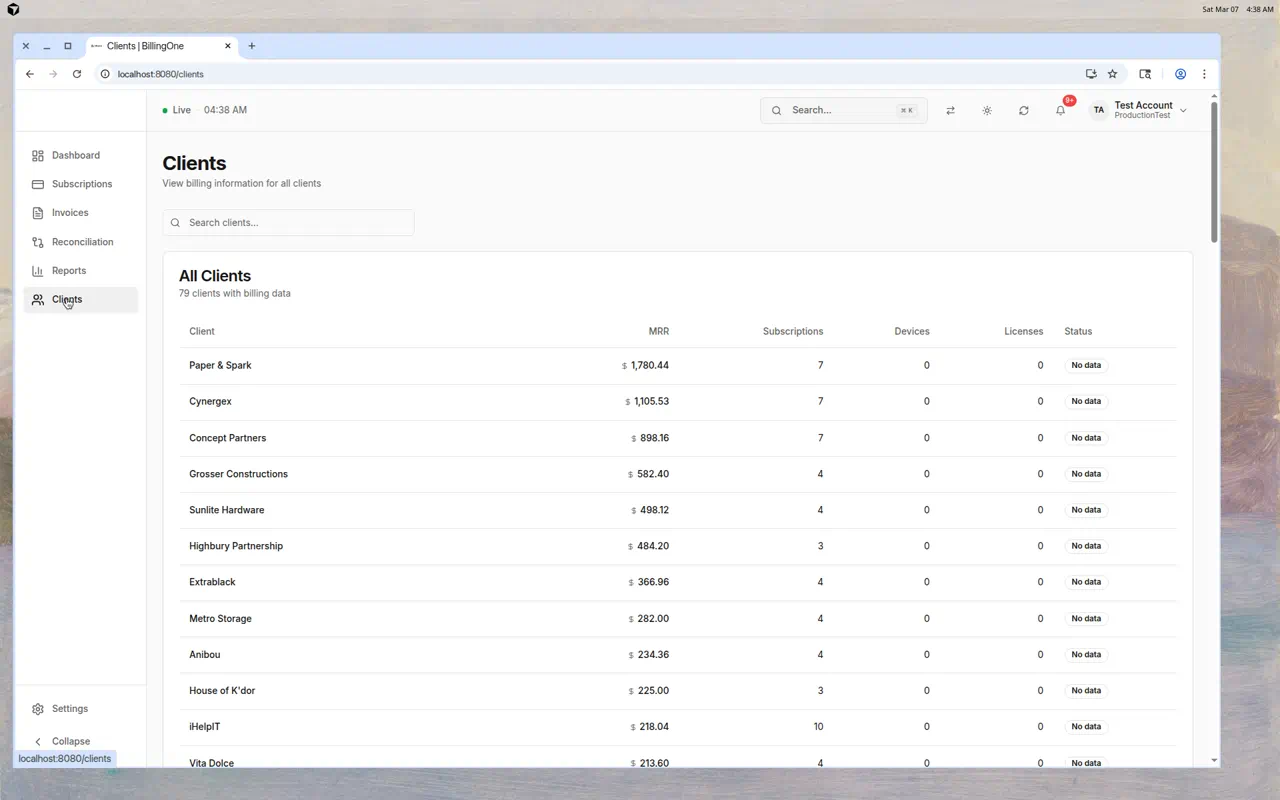
Client Table
Each client row shows:
| Column | Description |
|---|---|
| Client | Client name |
| Subscription MRR | Monthly Recurring Revenue from this client's active subscriptions |
| Subscriptions | Number of Pax8 subscriptions |
| Devices | Managed device count (from RMM) |
| Licenses | Licensed quantity (from Pax8) |
| Status | Live license variance — Matched, Under-licensed, Over-licensed, or insufficient data |
Open a client for the billing 360 (mappings, contracts, invoices, counters). Org-wide mapping readiness: Client mappings in the sidebar.
Searching Clients
Use the search bar to filter clients by name.
Understanding the Status Column
| Status | Meaning |
|---|---|
| Matched | Devices and licenses are aligned |
| Under-licensed | More devices than licenses — billing gap |
| Over-licensed | More licenses than devices — client is overpaying |
| No data / insufficient | Live variance unavailable (missing devices or licenses) — take a Reconciliation snapshot or sync sources |
What You Can Learn Here
Top Revenue Clients
The MRR column sorted by value shows you which clients contribute most to your revenue. Protect these relationships.
Revenue Concentration
If a single client represents a large percentage of your MRR, that's a risk. Diversify your client base.
Billing Gaps
Clients with many devices but few subscriptions (or low MRR) may not be fully billed.
Inactive Clients
Clients with $0 MRR and 0 subscriptions may have churned or not been fully onboarded for billing.
Tips
- Review this list monthly — Spot changes in client billing profiles
- Sort by MRR to focus on your most valuable clients first
- Check "No data" clients — Take a reconciliation snapshot to get their status
- Cross-reference with PanelOne — If a client has many devices but low MRR, investigate their subscription coverage